TL;DR: At CES in January 2025, Dell replaced its old business names. Latitude laptops and OptiPlex desktops became Dell Pro, and Precision workstations became Dell Pro Max.
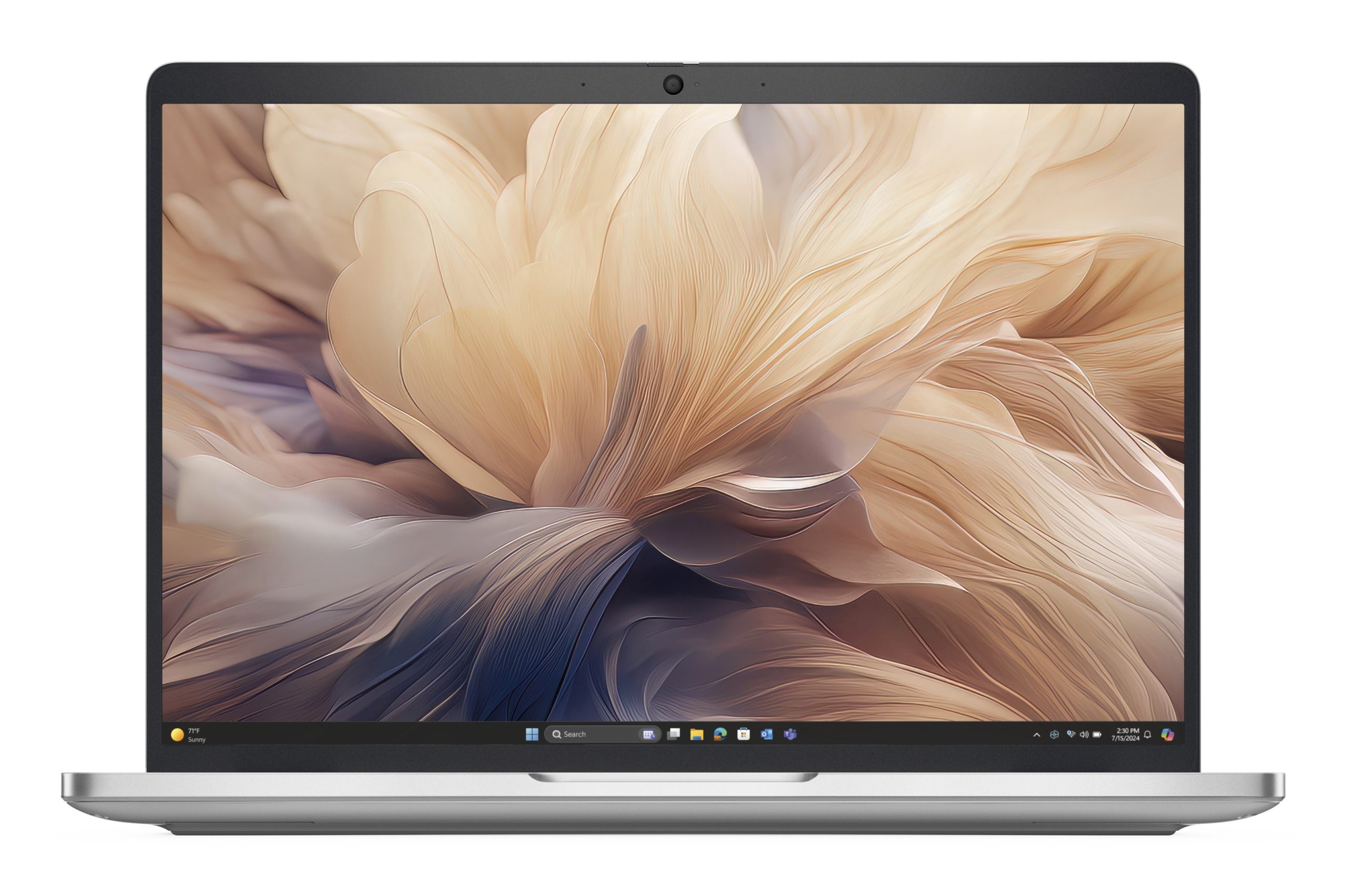
Dell Pro laptops come in rising tiers: Essential (entry business, from about R15,000), Pro (the base model), Plus (lighter, better battery and screen) and Premium (thinnest, best build). For most small offices, a Pro 14 Essential or Pro 14 Plus with the SD25 dock is the right setup.
What happened to Latitude, OptiPlex and Precision?
Dell simplified its PC names into three families, announced at CES 2025:
| New family | Who it’s for | Replaces |
|---|---|---|
| Dell | Home, school and personal use | Inspiron and XPS |
| Dell Pro | Business laptops and desktops | Latitude (laptops) and OptiPlex (desktops) |
| Dell Pro Max | Engineers, designers, data and video professionals | Precision workstations |
So if your company used to buy Latitude 5000-series laptops, the closest Dell Pro models are now the Pro and Pro Plus. The old OptiPlex Micro, Small Form Factor and Tower are now the Dell Pro Micro, Slim and Tower.
Dell Pro Essential vs Pro vs Plus vs Premium
| Tier | Example model code | Who it’s for | From (JLS price) |
|---|---|---|---|
| Pro Essential | PV14250, PV15250 | Entry business laptops for admin, sales and front-desk staff. Some ship with Windows 11 Home. | R14,965 |
| Pro (base) | PC14250, PC16250 | The everyday corporate laptop, the old Latitude 5000 role. Windows 11 Pro. | R33,741 |
| Pro Plus | PB13250, PB14250, PB16250 | Lighter, with longer battery life, better screens and options such as 5G and 2-in-1 | R33,498 |
| Pro Premium | PA13250, PA14250 | Executives and frequent travellers who want the thinnest, lightest and best-built model | R46,593 |
How to read a Dell Pro model code
Searching for a part number like PV14250? Read it in three parts:
- The letters give the tier: PV = Pro Essential, PC = Pro, PB = Pro Plus, PA = Pro Premium.
- The first two digits are the screen size: 13, 14, 15 or 16 inches.
- The last three digits mark the generation, for example 250 for the 2025 range.
So PV14250 is a Dell Pro 14 Essential, PB16250 is a Dell Pro 16 Plus and PA13250 is a Dell Pro 13 Premium. An AMD version usually ends in 5, as in the PV14255.

Which Dell Pro laptop should I buy?
| Laptop | Specs | Best for | Price |
|---|---|---|---|
| Dell Pro 14 Essential PV14250 | Core 3 100U, 8 GB, 512 GB, Win 11 Home | Reception, admin, light use | R14,965 |
| Dell Pro 15 Essential PV15250 | Intel Core i5, 15.6″ | Office staff who want a bigger screen and number pad | R17,571 |
| Dell Pro 14 Essential PV14250 | Core 7 150U, 16 GB, 512 GB, Win 11 Home | Best-value Essential for heavier multitasking | R21,358 |
| Dell Pro 16 Plus PB16250 | Core Ultra 5 236V, 16 GB, 512 GB, Win 11 Pro | Finance and spreadsheet users on a 16″ screen | R33,498 |
| Dell Pro 14 PC14250 | Core Ultra 7 255U, 16 GB, 512 GB, Win 11 Pro | Standard corporate fleet laptop | R33,741 |
| Dell Pro 14 Plus PB14250 | Core Ultra 5 236V, 16 GB, 512 GB, Win 11 Pro | Managers and hybrid workers who travel | R35,354 |
| Dell Pro 14 Premium PA14250 | Core Ultra 7 266V, 16 GB, 512 GB, Win 11 Pro | Executives | R46,593 |
Windows 11 Home or Pro? If your office uses a domain, Intune, BitLocker management or Remote Desktop into the laptop, you need Windows 11 Pro. Several Essential models ship with Home, and the upgrade to Pro costs extra. Ask us to quote the Pro version instead.
The monitors and docks to pair with a Dell Pro laptop
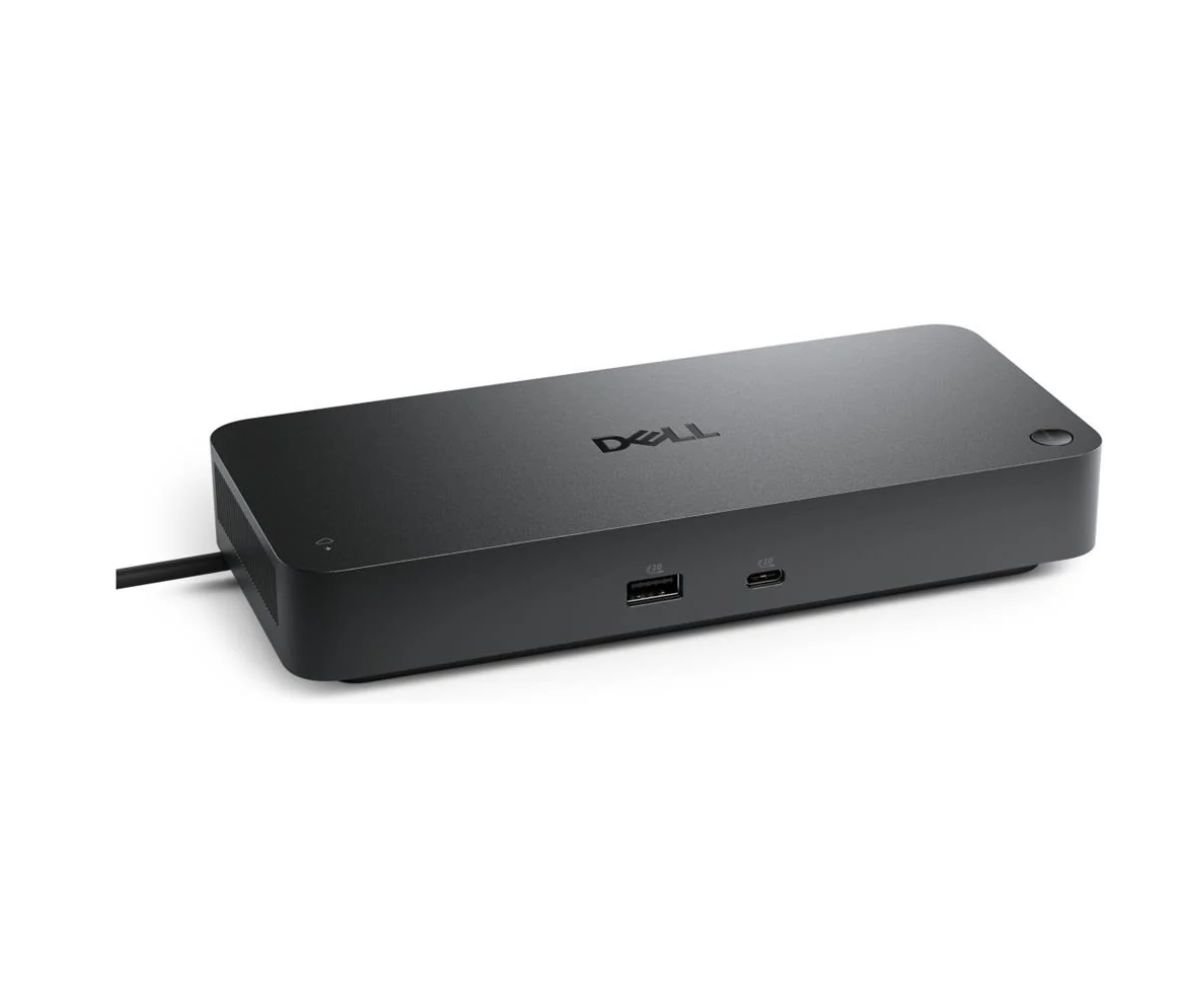
Dell Pro Smart Dock SD25: which version?
| Dock | Connection | Best for | Price |
|---|---|---|---|
| Dell Pro Smart Dock SD25 | USB-C, up to 130 W charging, up to 4 displays, 2.5 GbE | Most Dell Pro Essential, Pro and Plus laptops | R4,610 |
| Dell Pro Thunderbolt 4 Smart Dock SD25TB4 | Thunderbolt 4 | Laptops with Thunderbolt that drive high-resolution screens | R5,919 |
| Dell Pro Thunderbolt 5 Smart Dock SD25TB5 | Thunderbolt 5 | Dell Pro Max workstations and future-proof desks | R7,788 |
The standard SD25 works with Windows, macOS, Linux and ChromeOS laptops over USB-C. It provides 4× USB-A and 2× USB-C at 10 Gbps, HDMI 2.1 and two DisplayPort 1.4 outputs. Choose a Thunderbolt version only if your laptop has a Thunderbolt port and you need its bandwidth.
Monitors
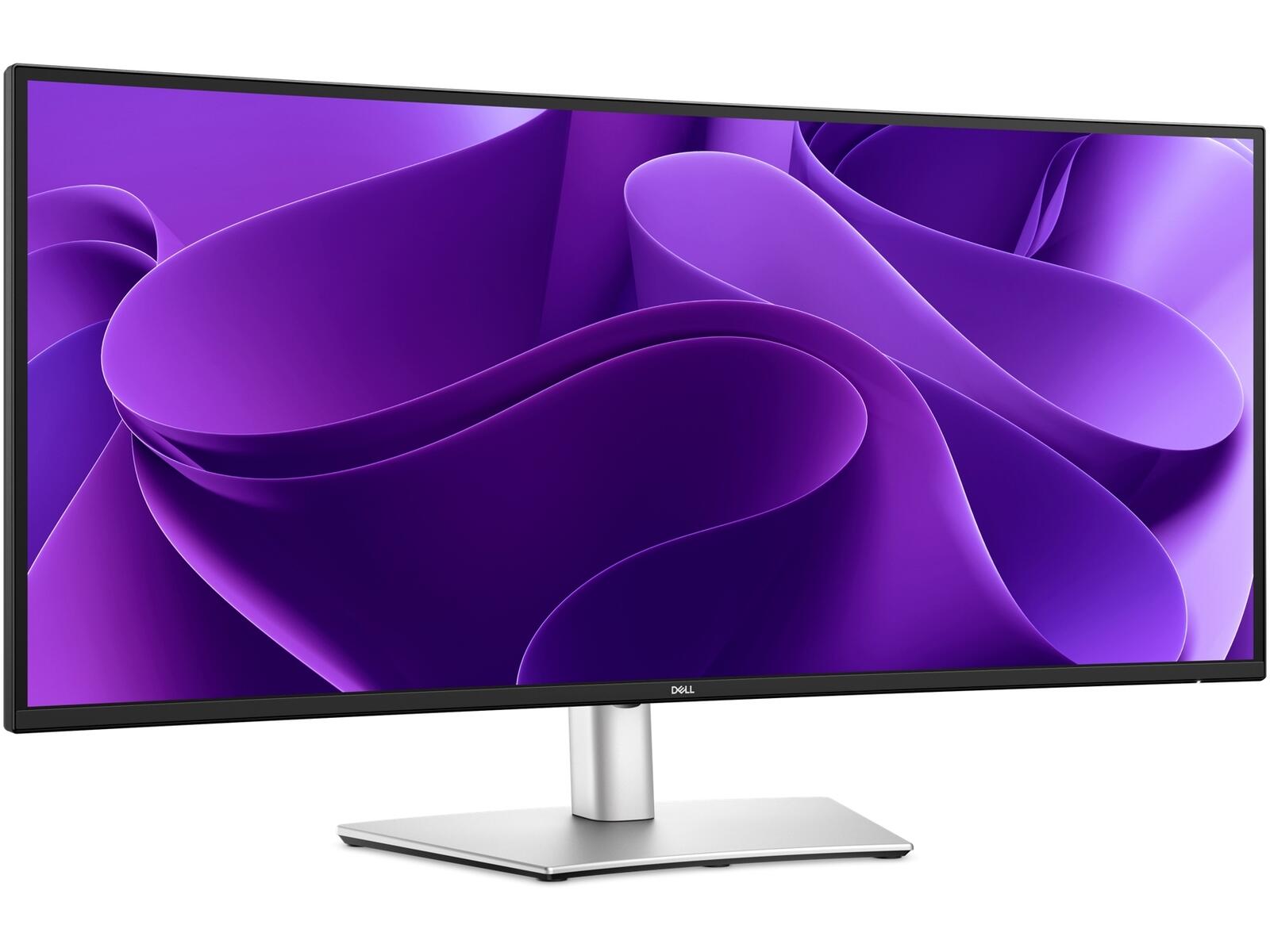
- Dell Pro 34 Plus USB-C Hub Monitor (P3425WE), R10,165. A 34″ curved 3440 × 1440 IPS at 100 Hz. One USB-C cable carries video, data and up to 90 W of charging to the laptop, so it can replace a dock. It suits spreadsheets and side-by-side windows.
- Dell 27 Plus 4K (S2725QS), R6,805. A 27″ 4K at 120 Hz, from Dell’s consumer family, for sharp text and photo work.
- Dell Pro 27 (E2726H), R2,290. An affordable 27″ for second screens across an office.
Complete the desk with the Dell Pro Plus KM7321W wireless keyboard and mouse (R1,493) or the Dell Pro Plus WL5024 ANC headset (R3,671) for Teams calls.
Dell Pro desktops (the old OptiPlex)
- Dell Pro Tower Essential QVT1260 (Core i3-14100, 8 GB, 512 GB, Win 11 Pro), R15,553.
- Dell Pro Micro QCM1250 (Core Ultra 5 235T, 16 GB, 512 GB, Win 11 Pro), R29,246. A tiny PC that mounts behind the monitor.
Rolling out several laptops or desktops? Send your list to the quote desk for volume pricing, Windows 11 Pro configurations and Dell ProSupport options. See all business laptops.
FAQs about the Dell Pro range
Is Dell Pro the same as Latitude?
Dell Pro is the new name for Dell’s business laptops, replacing Latitude from 2025. The Pro and Pro Plus tiers fill the old Latitude 5000 and 7000 roles.
What is the difference between Dell Pro 14 Essential and Dell Pro 14 Plus?
The Essential (PV14250) is the entry business model with mainstream Intel Core processors. The Plus (PB14250) uses newer Core Ultra processors, is lighter, has better battery life and offers more options. At JLS, the Plus costs roughly R14,000 more for a similar memory and storage spec.
Does the SD25 dock work with non-Dell laptops?
Yes, with any laptop that supports USB-C DisplayPort Alt Mode and USB-C charging, on Windows, macOS, Linux or ChromeOS. Some smart features, like firmware management, are Dell-specific.
Can the Dell P3425WE charge my laptop?
Yes, up to 90 W over its USB-C port, which is enough for most 13–16″ business laptops. It also passes through video and its USB hub on the same cable.
Tell us what you need it for and your budget. We'll come back with options from 800+ brands, usually within the hour.