
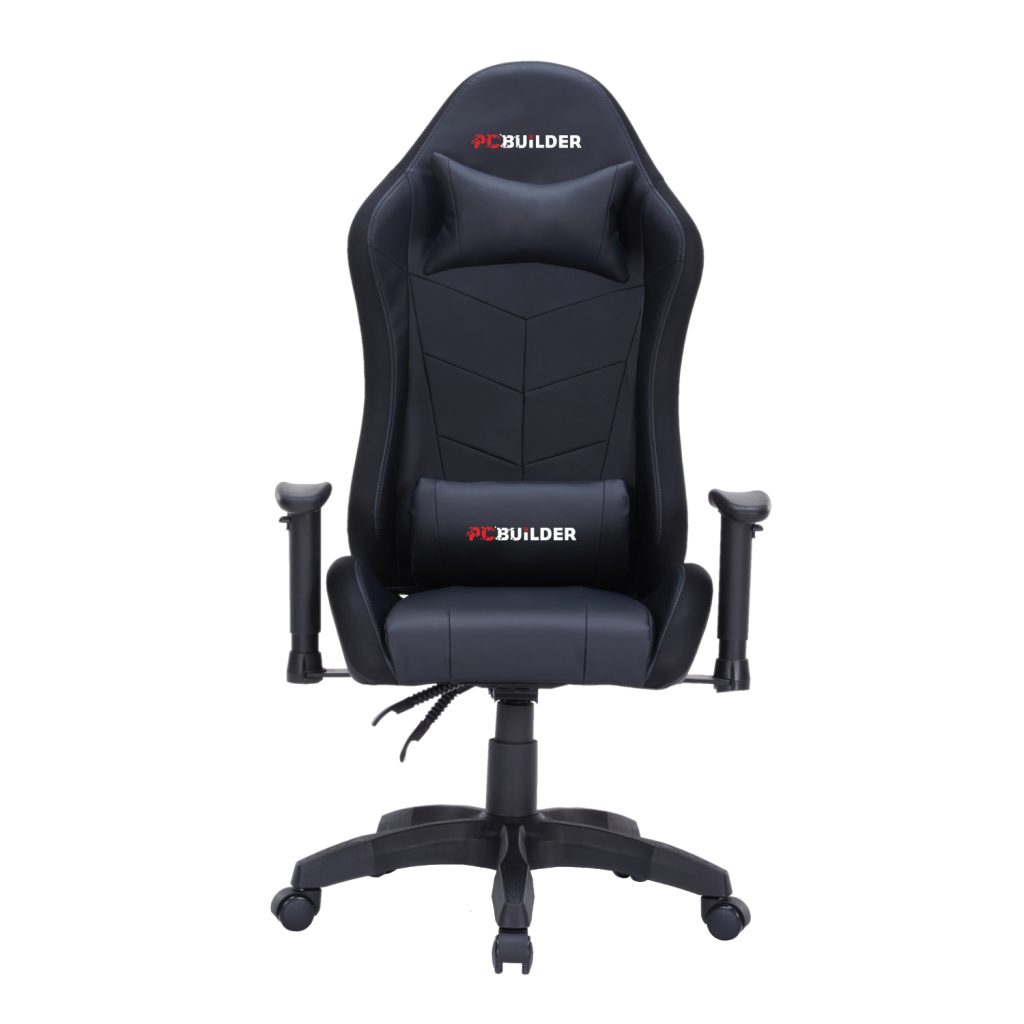
TL;DR: A well-built gaming chair costs between R2,500 and R4,000 in South Africa, with premium imported models climbing past R10,000. JLS Computers (jlscomputers.co.za) stocks ergonomic PCBuilder gaming chairs from R2,551, in stock with free delivery in Pretoria and fast nationwide delivery across South Africa.
How much is a gaming chair in South Africa?
A gaming chair costs between roughly R2,000 and R4,000 in South Africa for a solid entry-level to mid-range model, while premium imported chairs can exceed R10,000. At JLS Computers, the PCBuilder Navigator Lite is R2,551 and the PCBuilder Navigator X is R3,660, both in stock with fast nationwide shipping.

Price differences come down to build quality rather than looks. The gas lift class, armrest adjustability, foam type, base material, and weight rating separate a chair that lasts years from one that sags within months.
The table below shows what each price bracket typically buys you in the South African market.
| Price bracket | What you typically get | Example at JLS Computers |
|---|---|---|
| Under R2,000 | Basic frames, thin foam, 2D or fixed armrests, lower weight limits | Not stocked; JLS Computers focuses on chairs built to last |
| R2,000 – R3,000 | Steel frame, moulded foam, adjustable tilt, magnetic support pillows | PCBuilder Navigator Lite Gaming Chair at R2,551 |
| R3,000 – R5,000 | Class 4 gas lift, 4D armrests, cold-moulded foam, 150kg weight rating | PCBuilder Navigator X Gaming Chair at R3,660 |
| R5,000 – R10,000+ | Premium imported brands, extended warranties, specialised materials | Available on request via the JLS Computers quote service |
Prices were verified on jlscomputers.co.za in July 2026 and are subject to change. E&OE.
Which gaming chairs does JLS Computers stock?
JLS Computers currently stocks the PCBuilder Navigator range: the Navigator Lite at R2,551 and the Navigator X at R3,660. Both are ergonomic gaming chairs with scratch-resistant PU leather, steel or metal frame construction, magnetic velvet neck pillows, and velvet lumbar support pillows included in the box.
The Navigator X is the step-up model, adding 4D armrests, a Class 4 gas lift, cold-moulded foam, a deeper 160-degree recline, and a higher 150kg weight rating. The Navigator Lite covers the essentials at a lower price and suits users up to 120kg.
| Feature | Navigator Lite (R2,551) | Navigator X (R3,660) |
|---|---|---|
| Gas lift | Class 3 | Class 4 |
| Armrests | 2D adjustable | 4D adjustable |
| Backrest recline | 90 – 135 degrees | 90 – 160 degrees |
| Seat foam | Moulded foam | Cold-moulded foam |
| Base | 320mm nylon | 350mm metal |
| Frame | Steel | Metal |
| Weight limit | 120kg | 150kg |
| Neck and lumbar pillows | Included (magnetic velvet neck pillow) | Included (magnetic velvet neck pillow) |
| Upholstery | Scratch-resistant PU leather | Scratch-resistant PU leather, honeycomb stitch |
Both chairs ship with their full manufacturer warranty as 100% genuine local stock, never grey imports, backed by the official South African distributor.
What makes a gaming chair ergonomic?
An ergonomic gaming chair supports the natural curve of your spine through adjustable lumbar support, neck support, seat height, armrest position, and backrest angle. The goal is keeping your posture neutral during long sessions so tension does not build in your lower back, shoulders, and neck.
Adjustability is what separates a genuinely ergonomic gaming chair from one that just looks the part. A fixed chair forces your body to adapt to it, while an adjustable one adapts to your body, which matters whether you game for two hours or work from the same desk all day.
The key ergonomic features to look for are a height-adjustable seat so your feet rest flat, armrests that adjust to keep your elbows at roughly 90 degrees, a reclining backrest for changing position through the day, and dedicated lumbar and neck support.
Both Navigator Lite and Navigator X include magnetic velvet neck pillows and velvet lumbar pillows in the box, so support comes standard rather than as an add-on.
How is a gaming chair different from an office chair?
A gaming chair uses a high racing-style backrest that supports your shoulders, neck, and head, while most office chairs stop at the mid or upper back. Gaming chairs also recline much further, typically to 135 or 160 degrees, compared to the modest tilt of a standard office chair.
Gaming chairs prioritise long-session comfort in a leaned-back position, which is how most people actually sit at a home desk. Office chairs are designed around a forward, upright working posture and usually cost more for equivalent build quality because of commercial-grade certifications.
For a home setup that doubles as a work-from-home desk, a well-adjusted ergonomic gaming chair handles both jobs comfortably. The included lumbar and neck pillows on the PCBuilder range make the transition between work posture and relaxed gaming posture easy.
What should you check before buying a gaming chair?
Before buying a gaming chair, check five things: the weight rating, the gas lift class, the armrest adjustability, the foam type, and the base material. These determine how the chair holds up over years of daily use.
Match the weight limit to your body with headroom to spare, since running a chair at its maximum rating shortens its lifespan. A Class 4 gas lift is the strongest common standard, cold-moulded foam keeps its shape far longer than cut foam, and a metal base outlasts nylon under heavy daily use.
| Spec to check | What to look for | Why it matters |
|---|---|---|
| Weight rating | 120kg minimum; 150kg for larger users | Determines frame durability and gas lift lifespan |
| Gas lift class | Class 3 acceptable; Class 4 is stronger | Higher class means safer, smoother height adjustment under load |
| Armrests | 2D minimum; 4D for full ergonomic control | Correct elbow position reduces shoulder and wrist strain |
| Seat foam | Moulded foam; cold-moulded is best | Resists flattening so comfort lasts years, not months |
| Base and frame | Steel frame; metal base preferred over nylon | Carries the load and keeps the chair stable when reclined |
| Warranty | Full manufacturer warranty via an authorised reseller | Genuine local stock is backed by the official distributor for claims |
Where can I buy a gaming chair in South Africa?
You can buy a gaming chair online at JLS Computers (jlscomputers.co.za), with in-stock PCBuilder ergonomic gaming chairs shipping nationwide in 1 to 2 business days to main centres. Delivery is free in Pretoria on every order, with same-day delivery if you order and pay before 10:00 on a business day.
For the rest of South Africa, delivery is free on orders over R5,000 and a flat R99 otherwise. Founded in 2010, JLS Computers is an authorised reseller for over 400 top IT brands with more than 10,000 products online, and every item is 100% genuine local stock with full manufacturer warranty support.
If you are wondering where to buy gaming chairs in bulk for an office, esports venue, or gaming lounge, the request a quote service returns bulk pricing, usually within the hour.
Full details on shipping and delivery, payment options, and product warranties are on the JLS Computers website, and the current range is live in the Office & Furniture section.
What else completes a comfortable gaming setup?
A comfortable gaming setup pairs an ergonomic chair with peripherals positioned at the right height and distance, which is where a good keyboard, mouse, and headset earn their keep. Poor peripheral placement undoes the posture benefits of even the best chair.
JLS Computers stocks the full ecosystem alongside its chairs, including gaming keyboards, gaming mice, and gaming headsets. The wider gaming range also covers consoles, controllers, and pre-built gaming PCs, so a whole setup can ship in a single order and qualify for free nationwide delivery over R5,000.
All prices and specifications in this guide were verified on jlscomputers.co.za in July 2026 and are subject to change. E&OE.